একটি চ্যানেল বেছে নিন — আমরা যত দ্রুত সম্ভব উত্তর দেব
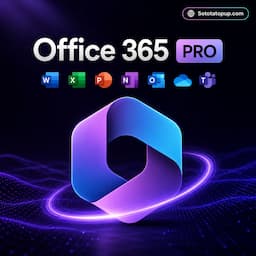
Microsoft 365 Personal & Family Subscription – Sototatopup.com
Upgrade your productivity with Microsoft 365 Personal & Family Subscription, available at Sototatopup.com. Enjoy powerful productivity tools for studying, working, creating documents, managing spreadsheets, preparing presentations, and organizing your daily tasks.
Whether you are a student, freelancer, professional, or home user, Microsoft 365 offers useful tools to help you work more efficiently across compatible devices.
💻 Available Microsoft 365 Plans
Choose the subscription option that best suits your needs. Available plans and features may vary.
- Microsoft 365 Personal – Designed for individual users.
- Microsoft 365 Family – Designed for families and multiple users, subject to the selected subscription's terms.
- Our Mail – A ready-made account option, if available on the product page.
- Own Mail – An activation option using your own Microsoft account, if supported.
- Full Family – A family subscription option, if available.
Please check the selected package details on Sototatopup.com before placing your order.
📦 Microsoft Apps & Features
Depending on your selected plan and subscription eligibility, Microsoft 365 may include:
- Microsoft Word – Create and edit documents.
- Microsoft Excel – Organize data and work with spreadsheets.
- Microsoft PowerPoint – Create professional presentations.
- Microsoft Outlook – Manage email and calendars.
- Microsoft OneNote – Organize notes and ideas.
- OneDrive Cloud Storage – Store and synchronize files when included in your plan.
- Additional Microsoft Services – Availability depends on the subscription.
🌐 Compatible Devices
Microsoft 365 supports compatible devices and platforms, including:
- Windows PCs and laptops
- macOS computers
- Android smartphones and tablets
- iPhones and iPads
- Supported web browsers
Available features and device limits depend on the selected subscription and Microsoft's current terms.
🕒 Subscription Validity & Activation
- Subscription Duration: As specified on the selected product.
- Activation Method: According to the package details.
- Account Type: Own-account or provided-account options, where available.
- Device Access: Subject to the subscription plan's limits.
- Renewal: Available according to the product and subscription terms.
Important: A one-year subscription is not a lifetime license. Please verify the validity period and activation method before purchasing.
⚡ How to Order Microsoft 365
1. Visit https://sototatopup.com/.
2. Find the Microsoft 365 subscription product.
3. Select your preferred package.
4. Read the package description, validity, and activation requirements.
5. Choose an available payment method.
6. Complete your order and follow the delivery instructions.
7. Follow the activation instructions provided for your selected subscription.
💳 Available Payment Methods
Pay using the payment methods displayed at checkout on Sototatopup.com. Available options may include:
- bKash
- Nagad
- Rocket
- Supported debit and credit cards
- Other payment options displayed on the website
🔐 Account Security & Important Information
- Carefully review the account type and activation method before ordering.
- Never share your personal Microsoft password or verification codes unnecessarily.
- Check the subscription duration and included features before payment.
- Keep your order confirmation and activation information secure.
- Subscription benefits depend on the product supplied and the applicable Microsoft terms.
❓ Frequently Asked Questions
1. Where can I purchase Microsoft 365?
You can explore the available Microsoft 365 subscription options at Sototatopup.com.
2. How long is the subscription valid?
The validity period depends on the selected package. Please check the product details before ordering.
3. Is Microsoft 365 a lifetime license?
Microsoft 365 subscriptions are generally time-limited subscriptions, not lifetime licenses. The exact validity is determined by the product purchased.
4. Can I activate Microsoft 365 using my own email?
Own-account activation is available only when supported by the selected package. Check the product description before purchasing.
5. Does Microsoft 365 include Word, Excel, and PowerPoint?
These applications are included in eligible Microsoft 365 subscriptions. Available features depend on your plan.
6. Can I use Microsoft 365 on multiple devices?
Device access depends on the subscription plan and Microsoft's current usage limits.
7. Does every plan include OneDrive storage?
No. Cloud storage and its capacity depend on the subscription. Check the selected package's included features.
8. How do I receive my order?
Delivery instructions and estimated delivery times are provided according to the selected product and order status.
9. Which payment methods are available?
Available payment methods are displayed during checkout on Sototatopup.com.
10. How can I get assistance with my order?
Contact Sototatopup.com through the customer support channels listed on the website.
🛒 Get Microsoft 365 from Sototatopup.com
Choose the Microsoft 365 subscription that fits your needs and enjoy convenient access to productivity tools for work, education, and everyday tasks.
Sototatopup.com — Your Online Destination for Digital Products & Subscriptions.
🌐 Website: https://sototatopup.com/
Note: Prices, subscription validity, activation methods, included applications, storage, and device limits depend on the selected product. Please verify the product details before making a payment.